clothrop's Portfolio
clothrop’s Bio

Current Module: 

Portfolio

Workbook Page

The Best Tool

My technology tool is not digital. I think the combined brain-power of a group of students and the teacher is the best “tool” of all.

Read More »
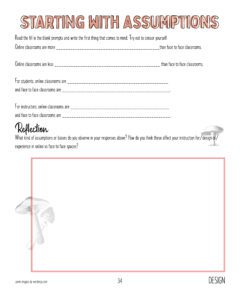
Workbook Page

General Classroom Structure

You must come to every class You must do all the outside reading when assigned You must participate in every class discussion with at least

Read More »
Image

Group picture

This is an existing picture I had in the very limited files I can access on my laptop at home.  This was a group that
Read More »

clothrop's Highlights

Recent Comments

  • Wondering if we might also ask the students at the beginning of the semester what technology they... More >>
    Comment on: When you’re deciding about using new technology in a class you’re teaching, what do you take into consideration?
    Posted on: 02/25/2024
  • Is the technology supporting the class/curriculum goals? I thinks some tech may be the newest... More >>
    Comment on: When you’re deciding about using new technology in a class you’re teaching, what do you take into consideration?
    Posted on: 02/21/2024
  • All the constant updates are my technology nightmare too. I had a very large spreadsheet that I... More >>
    Comment on: Happy $20.24
    Posted on: 02/21/2024
  • You make a good point. While technology tends to be individuals on their own laptop, can we also... More >>
    Comment on: Unintended negative impact
    Posted on: 02/21/2024

Latest Annotations

  • As a former K-12 educator who DID take ed philosophy and methods courses, I see this sole focus on... More >>
    Annotation on: Putting the pedagogic horse in front of the technology cart
    Posted by: clothrop
    Posted on: 02/25/2024
  • Amen! This is where OUR skill as an educator, our intuition, our experience can come to the fore. ... More >>
    Annotation on: On Silence: Humanising Digital Pedagogy
    Posted by: clothrop
    Posted on: 02/25/2024
  • This lies in the face of teacher-student, student-teacher philosophy. And, the techs who write the... More >>
    Annotation on: On Silence: Humanising Digital Pedagogy
    Posted by: clothrop
    Posted on: 02/25/2024
  • Should we consider silence at a time for students to process? If we wait long enough, would... More >>
    Annotation on: On Silence: Humanising Digital Pedagogy
    Posted by: clothrop
    Posted on: 02/25/2024
  • Love this!! I feel someone akin to the revolutionaries of the '60's talking here.... More >>
    Annotation on: On Silence: Humanising Digital Pedagogy
    Posted by: clothrop
    Posted on: 02/25/2024

Latest Question

Report a Website Problem

Let us know if you are experiencing an issue. We will grab info about what page you are on when you reported this problem, but let us know anything you're seeing that is strange!

Name

Stop Five: Exploring Your Portfolio

This page is your personal workspace in Design Forward. Whenever you complete an activity in a module, it will be posted here. In addition, you can add portfolio items at any time. At the bottom of the page, you will see a gray bar with options to add images, files, videos, text reflections, or workbook pages. 

On the right, you will see your most recent comments and annotations as well as any questions you’ve asked. 

Your portfolio lives outside of any individual module — it is available across your entire Design Forward experience. If you click on the Participants link  you will be able to see everyone else participating in a module and visit their portfolios. They can visit yours as well. 

Take some time to explore the options in your portfolio; you don’t need to add anything at this time. When you’re done click the “Back to the Map” button.

At the end of this stop in the Orientation journey, you will have