Briana's Portfolio
Briana’s Bio

Current Module: 

Portfolio

Design Bites

Padlet Perspective

So in my own personal journey into ID, for my upcoming TWP course, I’m starting to be more intentional and purposeful about my use of

Read More »
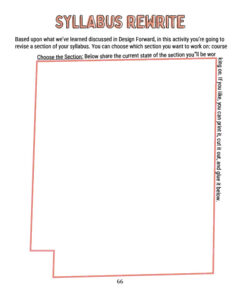
Workbook Page

Etiquette? Really?

Classroom Etiquette The main request I have is for you to be appreciative, respectful and understanding. Be respectful of your peers, your professors and yourself.

Read More »
Design Bites

Would You Rathers (WYR’s)

Back when I was teaching “Designing for College” for the then Ascent Program (Now Pathfinder), the biggest challenge I faced was getting students to talk

Read More »

Course Reflection

Tech has never been a tool I was particularly educated on, nor has it been a tool I’ve wanted to layer into my pedagogical styling.

Read More »
Workbook Page

Unexpected Toilet Talk

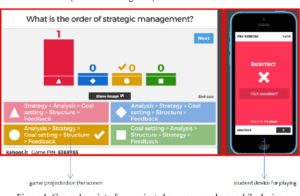
When I taught a small class about a year ago, we had lengthy discussions on the subject of building healthy habits. I spoke to my
Read More »
Image

Trust the Process

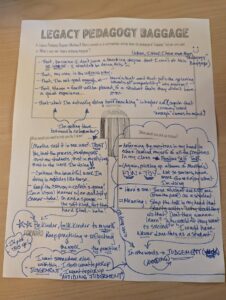
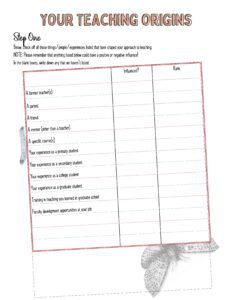
This is a sticky not  have in my office, right next to my monitor. I primarily use it in my weight loss journey, but it’s
Read More »

Briana's Highlights

I found this Design Bite to be so useful in the classroom and out! Have already used it at home 🙂

Because it’s a new approach to group-making in that it removes it from the instructor and it allows for more choice by the students. It also opens the door for students to engage with one another so that they can be grouped with more like-minded students and not simply those they sit near or already friends with.

Recent Comments

  • Ohhhh Molly, I like this! I too struggled with this last year. Last year, I did my groups based on... More >>
    Comment on: Private: Group Formation Activity
    Posted on: 07/28/2025
  • Amanda! I love your physical space so much! Allowing for so much inclusivity and meeting students... More >>
    Comment on: Private: Imagining Classrooms
    Posted on: 07/28/2025
  • I love this, thanks Kristin! Yes, I too am trying a new approach for class discussion. My daughter... More >>
    Comment on: Etiquette? Really?
    Posted on: 07/28/2025
  • Thank you Alexandra, I will take that note :)... More >>
    Comment on: Etiquette? Really?
    Posted on: 07/28/2025

Latest Annotations

  • I've thought of doing this in the past rather than simply going through it, talking about it to a... More >>
    Annotation on: #RealCollege Syllabus Design: Writing a Syllabus for the Students We Teach
    Posted by: bdbradley
    Posted on: 07/21/2025
  • Additionally all these great ideas for the syllabus review :) I really those her ideas!... More >>
    Annotation on: #RealCollege Syllabus Design: Writing a Syllabus for the Students We Teach
    Posted by: bdbradley
    Posted on: 07/21/2025
  • I love this and am borrowing it!... More >>
    Annotation on: #RealCollege Syllabus Design: Writing a Syllabus for the Students We Teach
    Posted by: bdbradley
    Posted on: 07/21/2025
  • Woof, I can admit now, that I probably did this.... More >>
    Annotation on: #RealCollege Syllabus Design: Writing a Syllabus for the Students We Teach
    Posted by: bdbradley
    Posted on: 07/21/2025
  • This would be an important piece of info for TWP. I sometimes feel that students don't understand... More >>
    Annotation on: #RealCollege Syllabus Design: Writing a Syllabus for the Students We Teach
    Posted by: bdbradley
    Posted on: 07/21/2025

Latest Question

Report a Website Problem

Let us know if you are experiencing an issue. We will grab info about what page you are on when you reported this problem, but let us know anything you're seeing that is strange!

Name

Stop Five: Exploring Your Portfolio

This page is your personal workspace in Design Forward. Whenever you complete an activity in a module, it will be posted here. In addition, you can add portfolio items at any time. At the bottom of the page, you will see a gray bar with options to add images, files, videos, text reflections, or workbook pages. 

On the right, you will see your most recent comments and annotations as well as any questions you’ve asked. 

Your portfolio lives outside of any individual module — it is available across your entire Design Forward experience. If you click on the Participants link  you will be able to see everyone else participating in a module and visit their portfolios. They can visit yours as well. 

Take some time to explore the options in your portfolio; you don’t need to add anything at this time. When you’re done click the “Back to the Map” button.

At the end of this stop in the Orientation journey, you will have