Alexandra's Portfolio
Alexandra’s Bio

Current Module: 

Portfolio

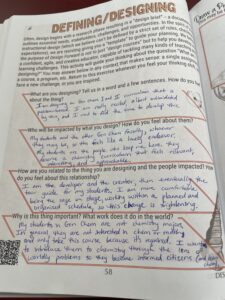
Workbook Page

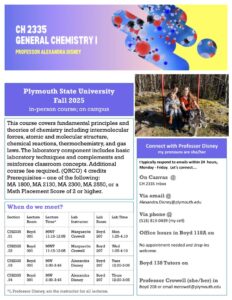
Syllabus Rewrite

(Edited: I couldn’t upload the entire syllabus file here because it only accepts picture files, but here are the first 3 pages.) I have been

Read More »
Design Bites

Muddiest Point class survey

For my grad degree, one of the required texts was “Classroom Assessment Techniques” by Angelo and Cross. We implemented various formative assessments from this text
Read More »
Image

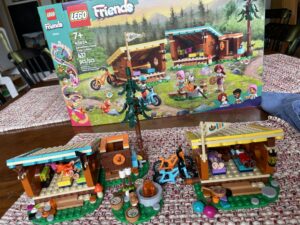
Lego Metaphor

My 5 year-old daughter is getting into Legos. I was initially psyched, but now I’m not so sure. From my limited experience, the set comes
Read More »

Alexandra's Highlights

Recent Comments

  • Yes yes yes! I will start by saying that you're the expert, in my view, on EF. I would love to learn... More >>
    Comment on: Designing for Executive Functioning Skill Development
    Posted on: 09/02/2025
  • I love the structure here, Kate, and imagine that maybe you and I think in a similarly structured... More >>
    Comment on: Private: If You Study French at PSU, You MUST go to Quebec
    Posted on: 09/02/2025
  • I love the InfoLit instruction map, and imagine this could be a really useful resource!... More >>
    Comment on: Private: DogInHouseOnFireClaimsEverythingIsFine.PNG
    Posted on: 09/02/2025
  • Lab notebooks are legal documents and can be involved in legal disputes around patent rights. They... More >>
    Comment on: In this module, we’ve provided a list of resources in the “Potential Design Inspiration” category. Look through these and tell us about one or two that might provide you with useful strategies or approaches.
    Posted on: 07/29/2025

Latest Annotations

  • At my previous institution, the academic dean observed my class with the sole purpose of documenting... More >>
    Annotation on: Blame, shame, and the desire for certainty: Avoiding rumination in our reflective practice and guiding students toward a more ‘adaptive’ reflection – Design Forward
    Posted by: adisney
    Posted on: 07/29/2025
  • This also rings true in science. I try to encourage students to use proper language when discussing... More >>
    Annotation on: Blame, shame, and the desire for certainty: Avoiding rumination in our reflective practice and guiding students toward a more ‘adaptive’ reflection – Design Forward
    Posted by: adisney
    Posted on: 07/29/2025
  • I feel like I need to annotate this whole article. Definitely saving this for later. ... More >>
    Annotation on: #RealCollege Syllabus Design: Writing a Syllabus for the Students We Teach
    Posted by: adisney
    Posted on: 07/24/2025
  • This might be naive and grossly optimistic of me, but one might argue that our design of 96-credit... More >>
    Annotation on: Never forget: your course is not only yours
    Posted by: adisney
    Posted on: 07/17/2025
  • Sounds like lab... More >>
    Annotation on: 7 Innovative Approaches to Course Design | Inside Higher Ed
    Posted by: adisney
    Posted on: 07/17/2025

Latest Question

Report a Website Problem

Let us know if you are experiencing an issue. We will grab info about what page you are on when you reported this problem, but let us know anything you're seeing that is strange!

Name

Stop Five: Exploring Your Portfolio

This page is your personal workspace in Design Forward. Whenever you complete an activity in a module, it will be posted here. In addition, you can add portfolio items at any time. At the bottom of the page, you will see a gray bar with options to add images, files, videos, text reflections, or workbook pages. 

On the right, you will see your most recent comments and annotations as well as any questions you’ve asked. 

Your portfolio lives outside of any individual module — it is available across your entire Design Forward experience. If you click on the Participants link  you will be able to see everyone else participating in a module and visit their portfolios. They can visit yours as well. 

Take some time to explore the options in your portfolio; you don’t need to add anything at this time. When you’re done click the “Back to the Map” button.

At the end of this stop in the Orientation journey, you will have